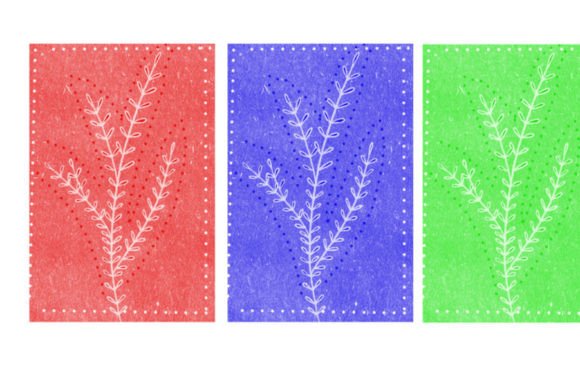
Mastering the Three Color Brush for Digital Art
Digital art tools have evolved rapidly, yet simplicity often remains the most powerful asset for creators. Whether you are a seasoned graphic designer or a hobbyist sketching on weekends, managing complex palettes can sometimes hinder creativity rather than help it. This is where the concept of a Three Color Brush becomes invaluable. It is not just about limiting your options; it is about focusing your artistic intent and streamlining your workflow. By restricting your immediate palette to three distinct hues, you force yourself to think more deeply about value, contrast, and composition before you even make a mark on the canvas.
The appeal of this tool lies in its ability to reduce decision fatigue. When you open a blank digital canvas, the infinite possibilities can be paralyzing. A specialized brush set that pre-configures three harmonious colors allows you to jump straight into the creative process. It serves as a guardrail, keeping your work cohesive while you experiment with form and texture. For beginners, this structure provides a safe space to learn color theory without the overwhelm of a full spectrum wheel. For professionals, it offers a quick way to establish mood boards or draft concepts with consistent tonal values.
Understanding the Core Components
When you download a resource like the Three Color Brush set, it is essential to understand exactly what you are getting to maximize its utility. The package is designed for ease of use across various digital painting software. Inside the ZIP file, you will find specific file formats such as .brushes or .swatches. These files are the backbone of your new workflow. The inclusion of a single, highly optimized brush ensures that you are not cluttering your toolbar with dozens of variations you may never use. Instead, you get one reliable tool that performs consistently.
The .brushes format is typically compatible with industry-standard applications, allowing for immediate integration into your existing library. If your preferred software uses swatch libraries, the included .swatches file ensures that your three chosen colors are always just a click away. This simplicity is deliberate. By providing only one brush, the creator emphasizes quality over quantity. This brush is likely engineered to handle opacity, flow, and pressure sensitivity in a way that complements the three-color limitation, ensuring that each stroke feels natural and responsive.
Practical Applications for Creators
The versatility of a limited palette brush set extends far beyond simple sketches. For bloggers and content creators, this tool can be a lifesaver when designing custom headers or social media graphics. Maintaining brand consistency is crucial, and using a predefined three-color scheme ensures that every visual asset aligns with your overall aesthetic. You can quickly create eye-catching thumbnails or illustrative icons without spending hours tweaking hex codes.
Educators and trainers will also find significant value in this approach. When creating presentation slides or instructional diagrams, clarity is key. A three-color limit prevents visual clutter, making it easier for students to focus on the core message. For instance, you might use one color for primary text, a second for highlights or emphasis, and a third for background elements or shadows. This hierarchy guides the viewer’s eye naturally through the information.
For freelancers and small business owners, speed is often as important as quality. When drafting logo concepts or packaging designs, starting with a restricted palette can accelerate the ideation phase. It allows you to present multiple variations of a design based on shape and layout without getting bogged down in endless color iterations. Once the structure is solid, expanding the palette becomes a much simpler task.
Enhancing Your Creative Workflow
Integrating the Three Color Brush into your daily routine requires a slight shift in mindset. Instead of thinking about color first, think about light and shadow. With only three tones available, you must rely on value contrast to create depth. This technique is rooted in traditional art principles, where artists often worked with limited pigments due to cost or availability. Today, we choose this limitation voluntarily to sharpen our skills.
Consider a scenario where you are illustrating a character. Using this brush set, you might assign the darkest tone to shadows and outlines, the mid-tone to base colors, and the lightest tone to highlights. This method forces you to plan your lighting source carefully. It also makes it easier to maintain consistency across multiple characters or scenes in a comic or storybook. The result is a cohesive visual narrative that feels intentional and polished.
Moreover, this tool is excellent for mindful drawing practices. In a world filled with digital distractions, limiting your tools can be a form of meditation. Focusing on the interaction between just three colors allows you to enter a flow state more easily. You become more attuned to the texture of the brush and the rhythm of your strokes. This can be particularly beneficial for those looking to reduce stress or find a creative outlet that feels manageable and rewarding.
Important Considerations Before You Start
While the benefits are clear, there are a few things to keep in mind before diving in. First, ensure that your software supports the provided file formats. Most major digital art programs handle .brushes and .swatches seamlessly, but it is always wise to check compatibility if you are using niche or older software versions. Second, remember that limitation is a starting point, not a rule. You can always add more colors later if the project demands it. The goal is to build a strong foundation, not to restrict your final output unnecessarily.
Additionally, consider the context of your project. A three-color palette works beautifully for minimalist designs, sketches, and stylized illustrations. However, for photorealistic renders or complex landscapes, you may need to expand your toolkit. The Three Color Brush is best viewed as a specialized instrument in your broader arsenal, perfect for specific tasks where clarity and cohesion are paramount.
Finally, take time to experiment with the single brush provided. Adjust its settings to match your personal style. Some users prefer a harder edge for crisp lines, while others may soften the brush for a painterly effect. Understanding how this one tool behaves under different pressure levels and angles will unlock its full potential. By mastering this simple setup, you build a stronger intuitive sense of color and form that will benefit all your future creative endeavors.